Stop Typing Notes: How to Use AI to Create Formula Sheets & Flashcards Instantly with Google NotebookLM
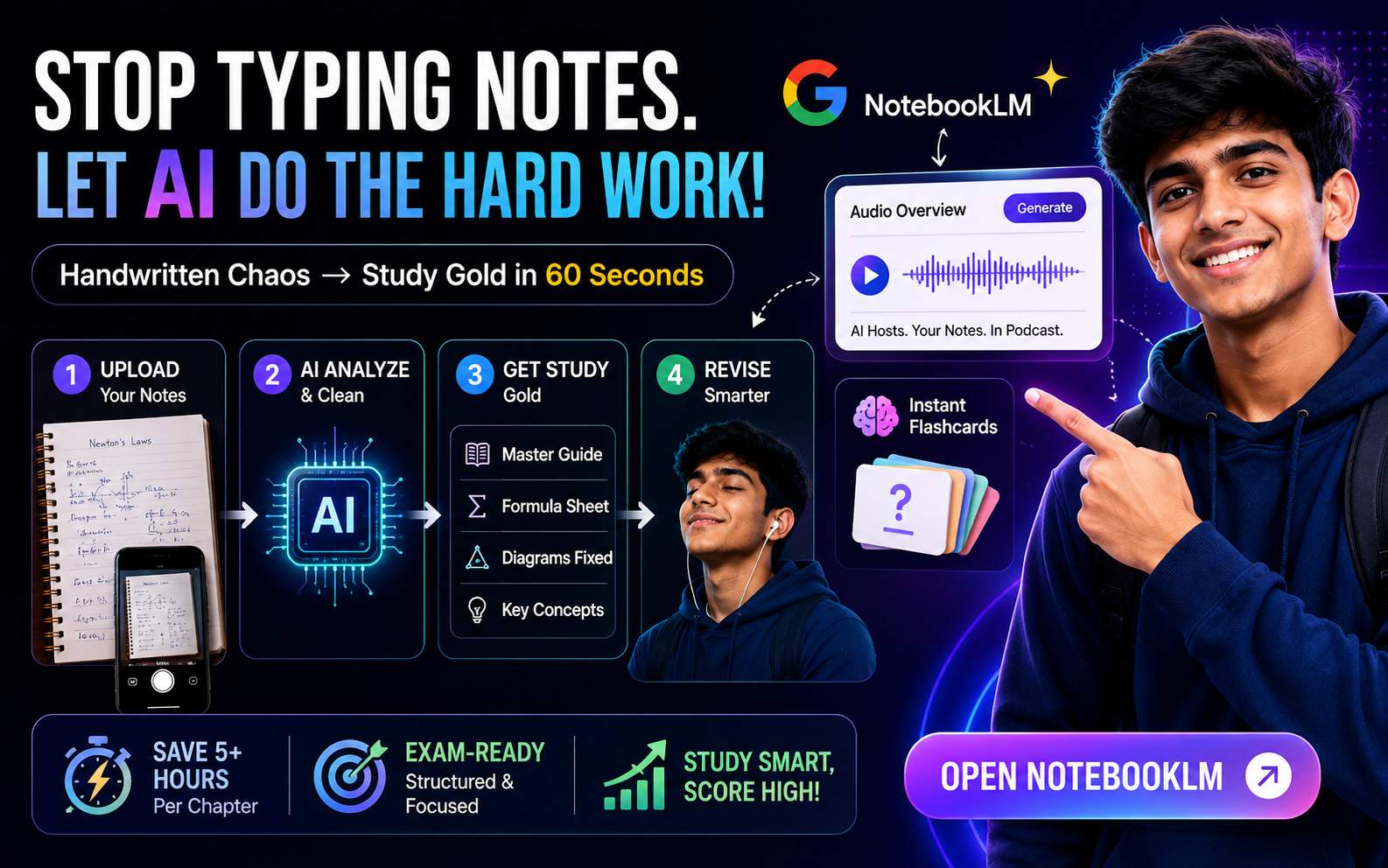
You already know that manually typing out notes or highlighting PDFs is the "old way." It takes hours and gives you hand cramps.
But what if you could snap a photo of your messy physics copy and instantly turn it into a structured, exam-ready study guide? This isn't sci-fi. It’s Google NotebookLLM.
This guide reveals the exact AI prompt I used to turn handwritten chaos into a Master Study Guide, a Formula Sheet, and even a Podcast in under 60 seconds.
Step 1: The Setup (The Fuel)
NotebookLLM is only as smart as the documents you feed it. If you give it garbage, you get garbage. For the best results, you need to upload these two things together:
- 1. Your "Messy" Handwritten Notes: Just take clear photos of your class copies or upload the PDF scan.
- 2. Structured Topic-Wise Notes: This acts as the "Reference Book." It gives the AI a standard to correct your mistakes against.
📂 Resource Download
Don't have structured notes? Use the ones I used in the video.
Action: Go to NotebookLM.google.com, click "New Notebook," and upload both files.
Step 2: The "Magic" Prompt
Here is where most students fail—they just ask the AI to "summarize." That’s weak. You need to force the AI to act like a top-tier JEE Tutor.
Copy and paste this specific engineered prompt into the Chat Box:
Step 3: The "Hidden" Features (Don't Miss These)
Once you run the prompt, don't just stop there. Here is how to squeeze 10x more value out of this tool:
🎧 1. Turn it into a Podcast (Audio Overview)
Look at the top right of the NotebookLLM dashboard and click "Audio Overview" -> "Generate".
Why? It creates a realistic conversation between two AI hosts discussing your specific notes. Listen to this while travelling to coaching or before sleeping for passive revision.
🧠 2. Instant Flashcards
After the prompt gives you the answer, type this follow-up command:
"Create 10 active recall flashcards based on the Formula Cheat Sheet above."
Now you can quiz yourself immediately without switching apps.
🚀 Try It Now
This method saves you 5+ hours of manual typing per chapter. Start smart studying today.
Open NotebookLMNeed Mentorship?
Want a personalised career roadmap? Book a 1-on-1 counselling session.
College Predictor
Confused which college to target? Use our JEE Main Predictor to see your college options by rank.
Comments
Leave a Comment
Please log in to leave a comment.


Newsletter
GET STARTED WITH MARGDARSHAN
Get weekly: JEE strategy, college cutoff updates, career paths after PCM, and insider tips from IITians. Free. Unsubscribe anytime.